Skip to content
Free Delivery on Orders ₹1,999 & Up
BEST SELLER

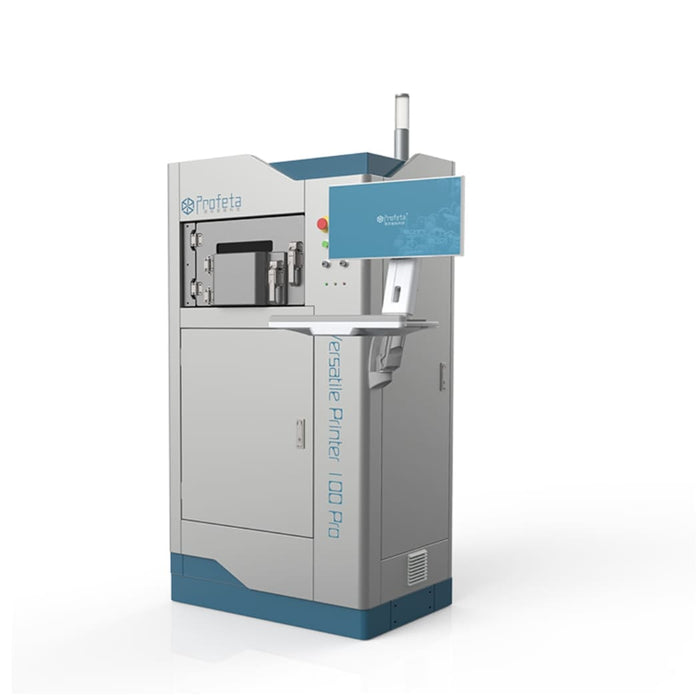
VP100 Pro Metal 3D Printer

WhatsApp Button Request Price
Warranty Available
GST Invoice Available
Description

Metal 3D Printer VP100 Pro is a dual‑mode metal additive manufacturing system tailored for dental labs. It supports both cobalt‑chromium and titanium alloys, enables rapid powder switching in just 45 minutes, and features a 120 × 70 mm build volume—all in a compact footprint. 

Key Specifications

• Build volume: Φ 120 mm × 70 mm (diameter × height)
• Layer (beam) diameter: 40 60 µm
• Laser type: Yb fiber laser, single or dual 200 W / 300 W versions
• Scanning speed: Up to 15 m/s (max)
• Productivity examples: ~130 copings in 3.5 4.5 hours; ~10 RPD frames in 3 3.5 hours
• Material compatibility: Cobalt Chromium (CoCr) and Titanium alloys
• Machine size: approximately 900 × 680 × 1760 mm
• Weight: ~480 kg (or ~600 kg depending on spec/config)
• Operating temperature range: 18 30 ° C

Direction To Use

1. Operating Environment
• Ensure the VP100 Pro Metal 3D Printer is used in a suitable environment with:
• Temperature: 15°C – 35°C
• Humidity: Below 95%
• Noise level: Not exceeding 70 dB

2. Power Supply
• Connect the printer to a stable 3.0 kW, 220 V power source. Ensure proper grounding and a secure electrical connection before operation.

3. Start the Machine
• Power on the printer according to the manufacturer’s instructions and allow the system to complete its initialization process.

4. Load Printing Material
• Insert compatible CoCr (Cobalt-Chromium) or Titanium material into the melting chamber.
• Ensure the material is suitable for the machine.

5. Set Up the Printing Process
• Use the control software to upload or design the dental component to be printed.
• Configure the required print parameters and ensure the printing area is clear of obstructions.

6. Start Printing
• Begin the metal 3D printing process using the control software.
• Monitor the printing progress and provide protective gas (Nitrogen or Argon) if required.

7. Post-Processing
• After printing is complete, carefully remove the printed dental component.
• Perform any required post-processing, such as polishing or finishing.

8. Maintenance
• Regularly clean and maintain the printer according to the manufacturer’s guidelines to ensure reliable performance.

9. Shutdown
• After completing printing tasks:
• Follow the proper shutdown procedure.
• Allow the machine to cool down before maintenance.
• Disconnect the power supply if necessary.

Packaging

VP100 Pro Metal 3D Printer

Warranty

1-year warranty from the date of purchase.

Wide Range of Products
Trusted Global Brands
Best Price Guarantee
100% Genuine Products

Exclusive Deal in just one-click?

Get Bulk Quote →

Frequently Asked Questions

Are the Product genuine and branded?

Yes, they partner with trusted national and international brands and ensure authentic, verified products

Do they deliver across India?

Yes, delivery is available nationwide, including remote areas.

Is it safe to order online from DentalExpress?

Yes, the website uses secure payment gateways and 128-bit encryption to protect transactions and customer data.