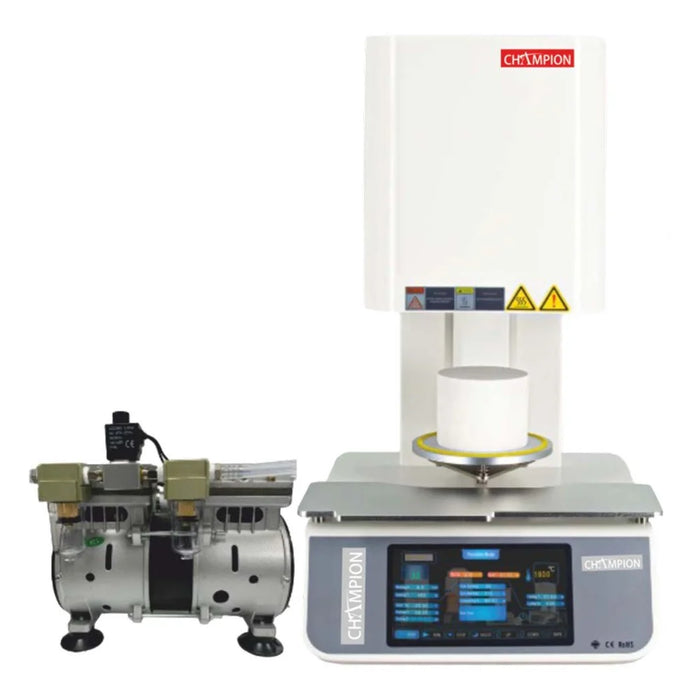
1. Installation Requirements
• Before installing the furnace, ensure the following conditions are met:
• Install the furnace in a dry and dust-free environment.
• Ensure that flammable or combustible gases and liquids cannot enter the installation area.
• Keep combustible materials away from the furnace.
• Maintain a minimum clearance of 50 mm around the furnace to allow proper cooling and ventilation.
2. Safety Precautions
• Follow these safety guidelines during installation and operation:
• Ensure the supporting surface is strong enough to hold the furnace weight.
• When moving the furnace, note that the maximum load capacity per person is 30 kg.
• Always use at least two people when lifting or moving the furnace to prevent strain or back injuries.
• Keep air vents unobstructed to prevent overheating and ensure proper airflow.
3. Electrical Connection
• Connect the furnace to a dedicated electrical circuit.
• Ensure the building's electrical circuit includes an appropriate circuit breaker.
• Install an additional Residual Current Circuit Breaker (RCCB) with a 30 mA tripping current.
• Confirm the protective earth conductor is connected to the power socket.
• Verify the mains cable length is 2.0 m and avoid using cable extensions.
• Check that the power supply voltage is within 200–240 V.
4. Switching On the Furnace
• Connect the furnace to the power supply.
• Switch on the furnace using the main power switch.
• The indicator lamp will illuminate.
• After approximately 3 seconds, the current furnace temperature will appear on the display.
5. Initial Commissioning
• Follow these steps before first operation:
• Press the door opener button to open the furnace door.
• The electronic lock opens only when the temperature is below 300 °C.
• Place the supporting stone inside the furnace.
• Fill the standard sintering dish with the items to be sintered.
• Using tongs, place the sintering dish onto the support pins.
• Close the furnace door securely.
• Start a firing program by pressing the Start/Stop button.
6. Programming the Heating Phases
• Press the right-hand arrow button until the LED under “Prog.” lights up.
• Select the desired program number (1–9) using the arrow buttons.
• Set the heating parameters for each phase:
• Heating speed
• Target temperature
• Holding time
• Save the program by pressing and holding the Programming button until the LED under the function display remains permanently lit.
7. Automatic Heating Program
• Select the required heating program.
• Activate the integrated timer.
• Specify the day and time the program should finish.
• The furnace will automatically start the heating cycle at the correct time to complete the program at the scheduled finish time.