Skip to content
Free Delivery on Orders ₹1,999 & Up
BEST SELLER

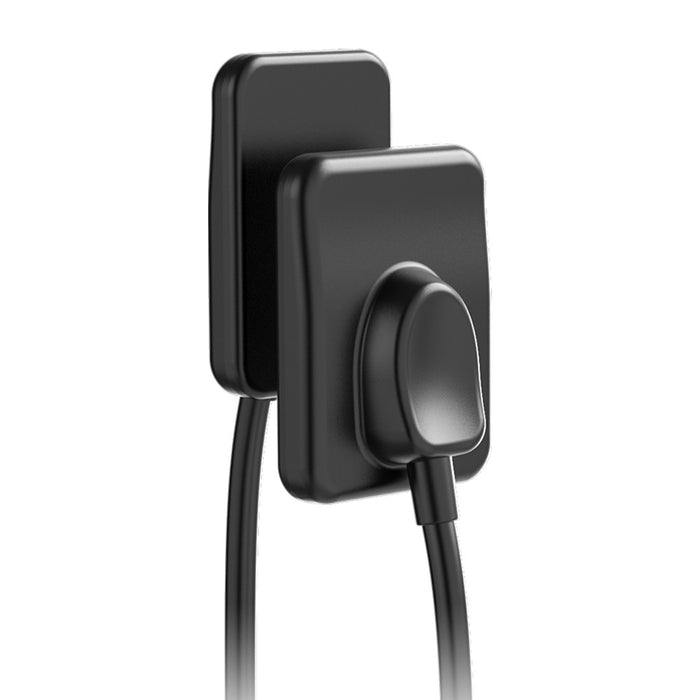
Agkem PhoCo RVG Sensor With 5 year warranty

Original price Rs. 49,000.00 - Original price Rs. 53,900.00
Original price
Rs. 49,000.00
Rs. 49,000.00 - Rs. 53,900.00
Current price Rs. 49,000.00
Size: 1
Save Rs. 4,900
Product Info Badges – COD Popup
Arrives by
Warranty Available
GST Invoice Available
Description

PhoCo Intra-Oral Sensor is an advanced digital radiography (RVG) sensor engineered for intraoral dental imaging with high resolution, fast acquisition, and patient-friendly design. Featuring direct conversion technology, ergonomic slim profile, and durable build quality, it enables clinicians to capture sharp, diagnostically rich images quickly, improve workflow efficiency, and enhance patient comfort. With generous warranty coverage and robust connectivity, it’s optimized for modern dental practices seeking reliable imaging performance

Key Specifications

• Resolution: 12-14 lp/mm
• Imaging Time: ~3 seconds
• Connection Interface: USB 2.0
• Image Formats Supported: BMP, JPEG, PNG, DCM, TIFF
• Supported Operating Systems: Windows 7, 8, 10
• Cable Length: 3 meters (extendable)
• Sizes Available:
o Size 1 (“PhoCo Mini”): 20 mm × 30 mm
o Size 1.5 (“PhoCo Pro”): 25 mm × 30 mm

Direction To Use

1. System Setup
• Connect the Agkem PhoCo RVG Sensor to the computer using the USB cable.
• Ensure the compatible dental imaging software is installed and running before capturing images.

2. Sensor Preparation
• Cover the sensor with a disposable hygienic barrier sleeve for infection control.
• Check that the active imaging surface is positioned correctly.

3. Patient Positioning
• Seat the patient comfortably in the dental chair.
• Place the sensor inside the patient’s mouth according to the required X-ray type (periapical or bitewing).

4. Sensor Placement
• Use a sensor holder or positioning device to stabilize the sensor and maintain proper angulation.

5. Capture the Image
• Set the dental X-ray unit to the appropriate exposure settings.
• Take the radiograph; the image will be transferred instantly to the computer via USB.

6. Image Review
• View and analyze the radiograph on the monitor using the installed imaging software.
• Adjust brightness, contrast, or zoom if needed for better diagnosis.

7. Post-Procedure Care
• Remove and dispose of the barrier sleeve after use.
• Clean and disinfect the sensor following standard dental infection control protocols.

8. Storage
• Store the sensor in a clean, dry, and protected location when not in use to maintain durability and performance.

Packaging

• 1 × PhoCo Intra-Oral Sensor (Selected Size: 1 or 1.5)
• 1 × USB 2.0 Connection Cable (3-Meter)
• 1 × User / Installation Manual
• 1 × Sensor Positioning Set
• 1 × Protective Carry Case
• 1 × Calibration / Support Software (Driver)
• 1 × Warranty Card

Warranty

5-year warranty from the date of purchase.

Wide Range of Products
Trusted Global Brands
Best Price Guarantee
100% Genuine Products

Exclusive Deal in just one-click?

Get Bulk Quote →

Frequently Asked Questions

Are the Product genuine and branded?

Yes, they partner with trusted national and international brands and ensure authentic, verified products

Do they deliver across India?

Yes, delivery is available nationwide, including remote areas.

Is it safe to order online from DentalExpress?

Yes, the website uses secure payment gateways and 128-bit encryption to protect transactions and customer data.