Skip to content
Free Delivery on Orders ₹1,999 & Up
BEST SELLER

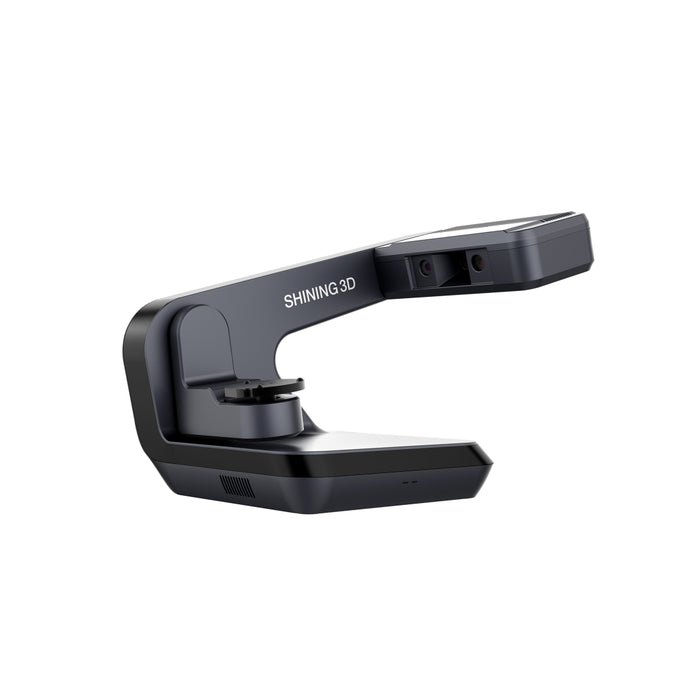
Shining 3d Auto Scan-DS-EX Pro (H) Lab Scanner

WhatsApp Button Request Price
Warranty Available
GST Invoice Available
Description

Shining 3D AutoScan‑DS‑EX Pro (H) is a premium dental lab scanner designed for high‑precision, high‑efficiency workflows. Engineered for dental technicians and labs, it supports scanning of impressions, plaster models, dies, articulators and implants with exceptional speed and accuracy. Equipped with dual high‑resolution cameras and advanced software modes (AI Scan, HDR, Texture Scan), it delivers scan accuracy of ≤ 8 µm and completes typical scans in mere seconds—boosting productivity while maintaining exacting detail.

Key Specifications

• Camera resolution: 2 × 5.0 MP.
• Accuracy: ≤ 8 µm.
• Scan times:
• Bite scan: ~7 s
Upper/Lower jaw: ~14 s
• 1 4 dies: ~18 21.5 s
• 5 8 dies: ~30 s
• Impression scan: ~66 s
• Light source: Blue light.
• Output formats: STL, OBJ, PLY.
• Interface: USB 3.0.
• Power supply: DC 24 V.
• Dimensions: 420 × 260 × 270 mm.
• Weight: ~5 kg.

Direction To Use

1. Preparation
• Place the Shining 3D Auto Scan-DS-EX Pro (H) on a stable, level surface with proper ventilation.
• Connect the power supply and USB 3.0 cable to a compatible PC.
• Install and launch the scanner software and confirm Exocad integration if required.

2. Calibration
• Attach the calibration plate or follow the on-screen calibration process.
• Ensure the scanner tip and tray area are clean and free from dust or debris before scanning.

3. Scanning Workflow
• Select the required scan mode in the software (full arch, tray, die, implant, or RPD).
• Place the model, impression, or scanbody on the tray and position it correctly.
• Start the scan and monitor the live preview for accurate capture.
• Use the intelligent scanning features to capture detailed color texture and gingival separation.

4. Post-Scan Processing
• Review the scanned mesh and texture in the software.
Trim unnecessary areas and verify margin accuracy.
• Export the scan file in STL, PLY, or OBJ format for CAD design or 3D printing workflows.

5. Maintenance
• Clean the optical surfaces and tray regularly using a lint-free cloth and recommended cleaner.
• Power down the scanner properly and cover the unit when not in use to prevent dust accumulation.
• Perform regular software and firmware updates as recommended by the manufacturer.

Packaging

Shining 3d Auto Scanner

Warranty

1-year warranty from the date of purchase.

Wide Range of Products
Trusted Global Brands
Best Price Guarantee
100% Genuine Products

Exclusive Deal in just one-click?

Get Bulk Quote →

Frequently Asked Questions

Are the Product genuine and branded?

Yes, they partner with trusted national and international brands and ensure authentic, verified products

Do they deliver across India?

Yes, delivery is available nationwide, including remote areas.

Is it safe to order online from DentalExpress?

Yes, the website uses secure payment gateways and 128-bit encryption to protect transactions and customer data.